



Meet
Autocapture



Google Sheets Training
Google Sheets Training
Create comprehensive Google Sheets training guides effortlessly with Scribe's AI-powered tools. Capture, customize and share step-by-step training in minutes.
In this article

Generate Google Sheets training in half the time.
Scribe: Your Ultimate Solution for Google Sheets Training
Want to create Google Sheets training guides in seconds? Look no further than Scribe! Do away with the manual processes of creating how-to guides and use Scribe to generate them automatically.
Level up your skills and show others how to use Google Sheets with Scribe's AI-powered Google Sheets training generator. With this tool, you can share your expertise and empower others with the knowledge and techniques to become better users of this powerful spreadsheet tool. Scribe will help you create a detailed process for using Google Sheets that other people can share and refer back to.
Benefits of Using Scribe for Google Sheets Training
Scribe's AI-powered documentation tool empowers you to craft detailed process guides you can use for Google Sheets training.
- Create Step-by-Step Guides in Seconds. Scribe's AI-powered documentation tool breaks down even the most complex Google Sheets processes into simple, manageable steps. Simply walk through your Google Sheets workflow, and Scribe will automatically generate a training guide complete with text and screenshots in seconds.
- Well-Organized and Easy to Follow. Scribe's pre-designed templates maintain a uniform layout for your training guides. Easily customize templates for your needs, and use ChatGPT to generate titles unique to each training. Drag and drop your Google Sheets guides into folders to keep them organized and easy to find and share.
- Easily Keep Training Up-to-Date With the Latest Features. With Scribe, you can make universal edits in seconds. When Google releases a new update, just edit your Scribe to update wherever it's shared, keeping your training current with the latest feature releases.
How to Get Started with Scribe’s Google Sheets Training Generator

Generate Google Sheets training documents complete with screenshots and texts with Scribe's AI-powered tools. Follow the simple steps below to get started.
1. Sign Up and Start Recording Your Training
Sign up and install the Google Chrome extension, or sign up for Scribe Pro to use the desktop extension.
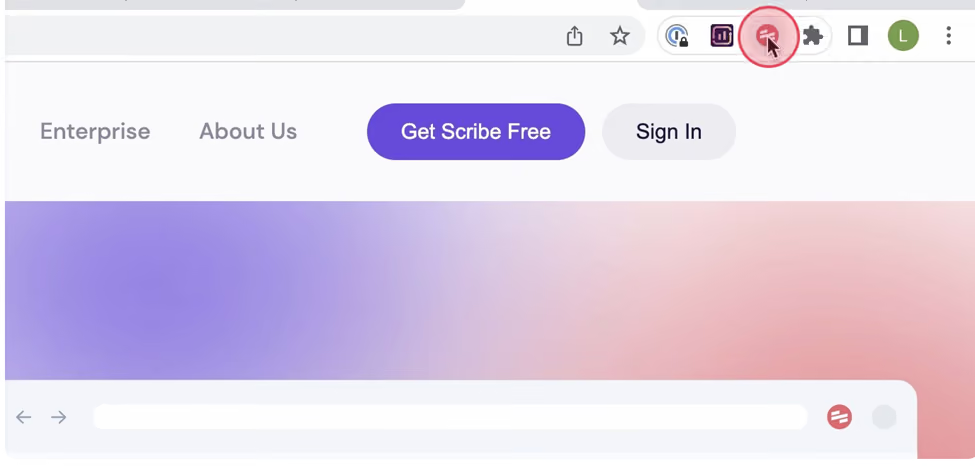
Once you're logged in, navigate to the Google Sheets process you want to capture. Click "Start Recording" and go through the process as you normally would. As you work in Google Sheets, Scribe will capture every important detail.

Scribe performs its magic as you seamlessly navigate your demonstration by automatically capturing relevant screenshots and accompanying text. This effortless integration results in dynamic Google Sheets training.
2. Stop Recording
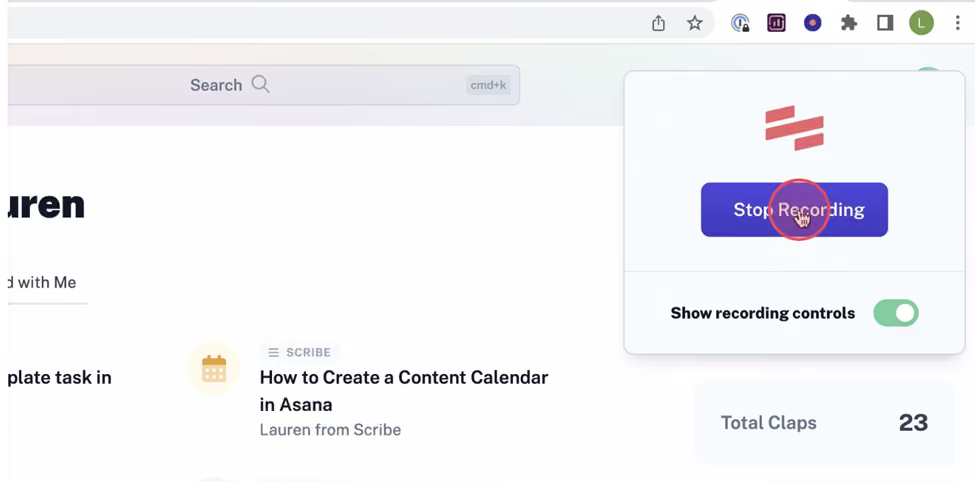
After you finish, click "Stop Recording" and let Scribe take over from here. Scribe will automatically generate the training document based on the collected screenshots and text, transforming it into a detailed step-by-step guide.
3. Customize and Edit
Once your guide is ready, you can edit and customize it however you like. Take some time to review and ensure everything you want to cover about Google Sheets is included.
You can clarify features, share tips and tricks, or simplify intricate workflows in Google Sheets by taking advantage of Scribe's interactive elements.

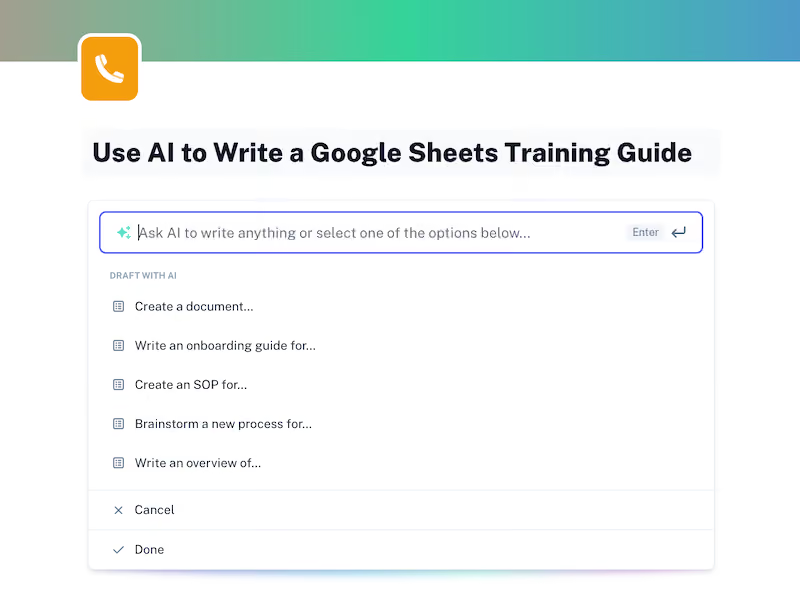
You can also ask Scribe's generative AI to write your entire document. Answer a few easy prompts, and the AI will automatically generate your Google Sheets training guide.
Personalize your guide even more by using Pages to combine multiple guides and add videos and images. Add interactive content to lead your audience through the training.
4. Share Your Google Sheets Training
Scribe makes it easy to reference and share your Google Sheets training processes with colleagues and clients.
- Send a quick link.
- Export your guide into formats like PDF, HTML, and Markdown.
- Share the link via your Scribe workspace.
- Add users to your Scribe workspace.
- Embed your guide directly within your documentation for easy access.

Creating Google Sheets training can only take you a matter of seconds with Scribe! No more grappling with time-consuming manual documentation procedures—Scribe takes care of it all!
With this AI-powered documentation generator, you can effortlessly create detailed processes that others can share and refer to later.
Check out these additional resources:


Copyright © 2026 Colony Labs, Inc. dba Scribe. All rights reserved.