



Meet
Autocapture



Make GIFs in Seconds!
Record a GIF on Windows
Record engaging and editable GIFs with Scribe on your Windows devices.
In this article

Capture and customize GIFs!
How to Use Scribe to Record GIFs on Windows
GIFs are the perfect way to deliver your message instantly and connect with your audience. The right tool can make recording GIFs on Windows much more efficient.
Whether you're a developer presenting an innovative concept or a marketer unveiling a new product, Scribe’s AI-powered tools empower you to effortlessly create a GIF recording of your screen. Make your GIFs stand out by highlighting product features, explaining intricate workflows, or even creating a quick answer to frequent questions.
Why Choose Scribe to Record GIFs on Windows?
- Save time: Don’t let the tedious manual process of recording GIFs on Windows hold you back. Let Scribe's AI-powered tools transform how you turn processes, how-to guides, and workflows into GIFs with just a few clicks. Record a process or workflow to create a short GIF that clarifies the action for your viewer.
- Intuitive, user-friendly interface. We understand that not everyone is a tech guru, so Scribe streamlines the process to make it as intuitive as possible. The interface guides you through each step, ensuring that even if you're new to recording your screen, you'll create stunning visuals effortlessly. There are no steep learning curves—just seamless simplicity.
- Consistency. Standardizing the format of your GIF documentation—from captions to stunning visuals—ensures a seamless viewing experience. Every GIF you create follows a standard layout, easily customizable to match your preferences. Scribe uses ChatGPT to generate unique, context-rich titles for each GIF to enhance searchability and shareability.
Getting Started with Scribe to a Record GIF on Windows

1. Kickstart Your GIF Recording Process
First, download and install the Scribe extension and pin it in your browser.
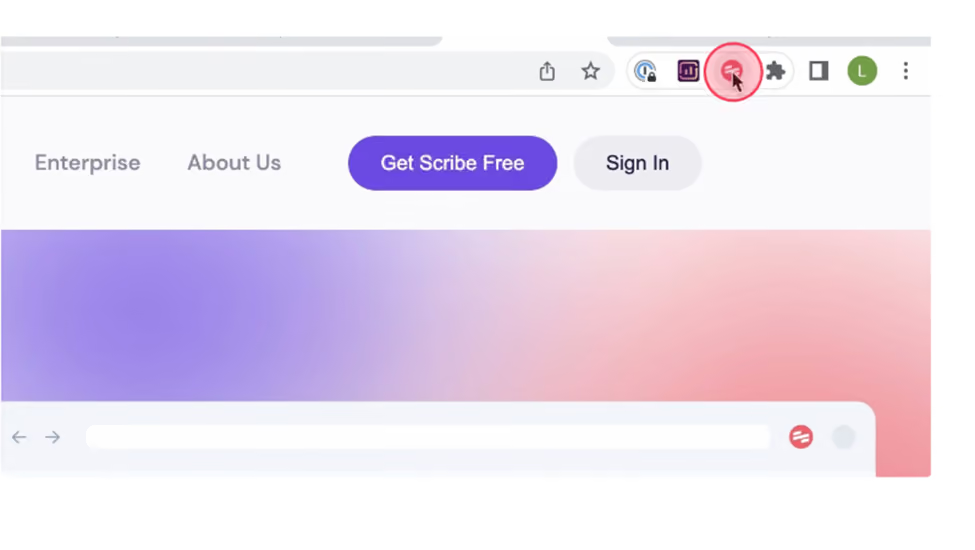
Open the content you want to feature in your GIF and click on Scribe’s icon on your toolbar.
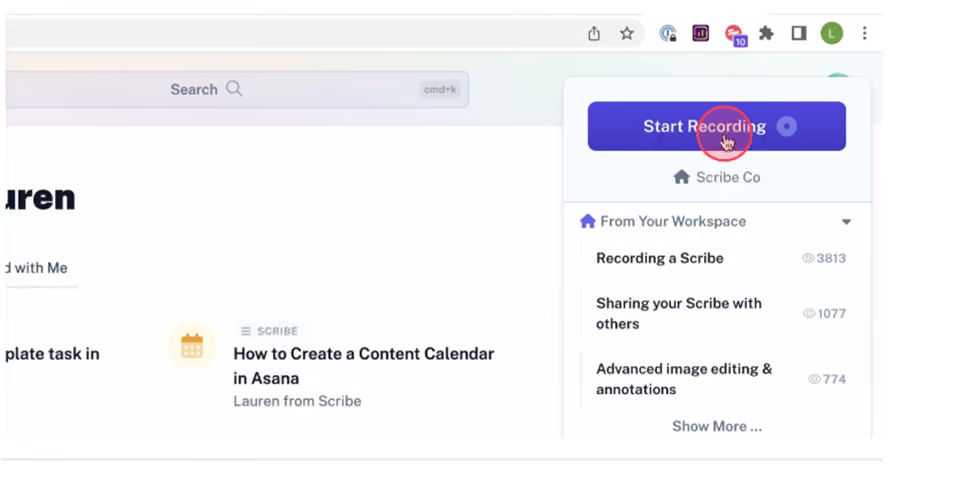
Select the "Start Recording" button. This will kick off the screen recording process. Scribe works in the background, automatically capturing screenshots and text as you go about the process, turning your steps into a quick, easy-to-understand guide. This will serve as the foundation for your GIF.
2. Stop Recording
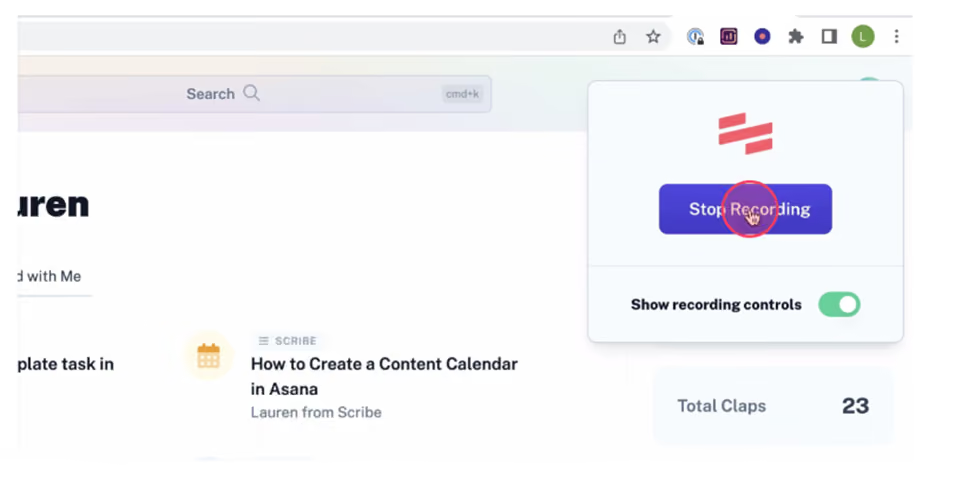
Once all the content you want for your GIF is captured in the GIF, click on the Stop Recording button. Scribe's AI-powered tool swiftly transforms your recorded screen into a detailed, step-by-step guide.
3. Edit and Personalize Your GIF
Now that you have the main content for your GIF, you can get creative with Scribe's editing and customization features.

Use Scribe's powerful AI tools to edit, customize and brand your content, and helpful tips, images and or multimedia. You can even ask AI to add titles, descriptions, and additional context.
Once you're finished, use Scribe's Magic Merge feature to combine your steps and transform your content into an engaging and shareable GIF.
4. Share Your GIFs
You're ready to share your GIF! With one click, you can send a quick link for easy access. Or invite users to your Scribe workspace to distribute your GIF to your team. You can also embed your GIF into your preferred platforms or other documentation.

Move to the next level of content creation with Scribe and transform static ideas into visual experiences.
Learn more about what you can do with Scribe:
- Windows Screen Recorder
- Full Page Screen Capture
- Free Visual Aid Generator
- A Better Snipping Tool
- Free Screenshot Generator for Process Documentation
- Free Step Recorder Software
Looking for free templates and examples to get you started? We've got you covered!
- How to Create a How-to Guide + 8 How-to Tips
- 100+ Free SOP Templates: How to Write Standard Operating Procedures
- Free Help Desk Templates
- FAQ Page Templates and Examples
- How to Build Better Technology Training For Employees
- From Beginner to Expert: Top Training Material Examples
- How to Write a Standard Work Template for Your Team (+ Free Template)
Or check out these related resources that we think you'll love!
- 12 Free Alternatives to Snipping Tool in Chrome
- Best Free Screenshot Software
- How to Crop a Screenshot on Windows
- Best Screenshot Software: Mac, Windows, Chrome & More
- The 15 Best Screenshot Tools for Windows
- 10 Best Windows Steps Recorder Alternatives
Create shareable, memorable GIFs that speak volumes. Use Scribe to record GIFs on Windows and build powerful, visual instructional content.


Copyright © 2026 Colony Labs, Inc. dba Scribe. All rights reserved.