



Meet
Autocapture



AI-POWERED SOFTWARE PROCESSES
Software Process Generator
Use Scribe's software process generator to build optimized software process flows in seconds. Streamline your software documentation with AI.
In this article

Build software documentation in seconds
Try Scribe's AI-Powered Software Documentation Generator
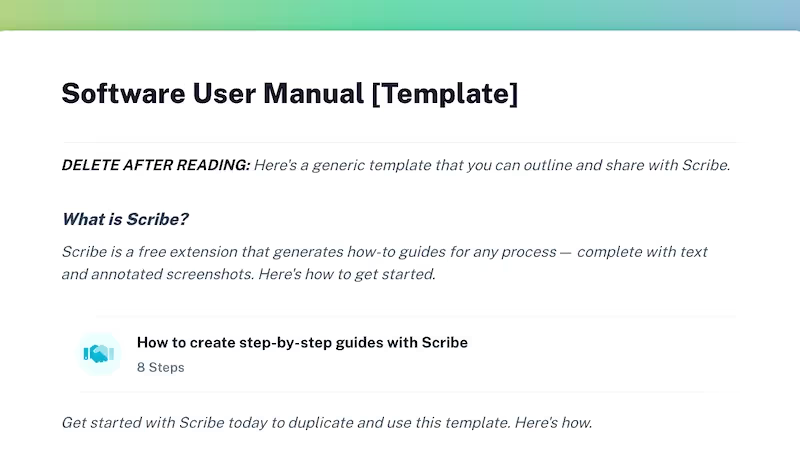
Scribe is a state-of-the-art tool designed to streamline the documentation process. With Scribe's AI-powered software process generator, you can quickly and easily develop and share complex applications, implement agile methodologies, or manage software testing.
Transform your workflow by turning your most complicated processes into easy-to-use and read software documentation.
Why Choose Scribe for Software Process Documentation?
1. Intelligent Automation
Scribe leverages intelligent automation to generate software process flows with screenshots, eliminating the need for time-consuming manual work. Scribe's AI-powered documentation tool analyzes best practices and specific project requirements to create optimized and efficient processes that can be easily implemented.
2. Customize Your Documentation
Scribe is fully customizable, allowing you to tailor generated software processes to align with your organization's specific requirements and methodologies.
Software teams can modify and adapt process flows based on your team's preferences, project complexity, and desired outcomes, ensuring a tailored approach that fits your unique needs. With universal updates, update your documentation everywhere as you build optimized software process flows.
{{banner-short-v2="/banner-ads"}}
3. Continuous Improvement
Scribe doesn't stop at process generation. It provides continuous improvement and process refinement features, ensuring your software development practices improve in a dynamic environment. You can gather feedback, monitor performance metrics, and adjust to optimize and evolve the processes over time. With version control and tracking changes, you can be sure your team has the most up-to-date documentation.
Getting Started With Scribe’s Software Process Documentation Generator

Step 1: Capture Your Software Processes
After installing Scribe, open the process that you plan to document. The Scribe icon can be easily found on your Chrome toolbar. Click on it to get started.

Then, select the "Start Capture" button. And the recording will start automatically. Scribe will begin to capture screenshots and text as you go through the process steps.

Step 2: Click Stop Capture
After completing the task, click the "Stop Capture" button. Scribe will instantly stop recording and automatically create documentation based on captured screenshots and texts.

Step 3: Edit & Personalize
Scribe will auto-generate software process documentation using the captured screenshots and text. Use Scribe's powerful editor to make edits, insert new steps, helpful tips and alerts, and more to build clear and concise documentation. Make adjustments and necessary edits, or add more information as needed.
You can also ask the AI to add titles, headers, additional details and more.
Scribe allows you to customize your software documentation by combining multiple elements in one place.

Step 4. Combine & Document with AI
Use Scribe’s ChatGPT feature to write brand new software process guides for you! Ask the AI to write longer documentation pages with a few simple prompts.

With Scribe Pages, you can quickly combine your step-by-step instructions with multiple Scribes, images, videos, GIFs and other multimedia. Build visually appealing documents in minutes.
Step 5: Collaborate & Share With Your Team
Share your auto-generated documentation effortlessly with your staff or team using various options in Scribe. You can also add team members to your Scribe workspace. This will give them access to the software process.
You can even share it by generating a link or embedding it in your documentation. The software process document can also be exported to popular formats like PDF, HTML, or Markdown for convenience.

Create relevant documentation that helps to streamline software processes and enhance your team's productivity. Share your knowledge to augment the efficiency of your team members.
FAQs
How Do You Develop a Software Process?
To develop a software process, follow these steps:
- Define requirements: Identify the needs and goals of the software.
- Prepare a project plan: Create a detailed roadmap that outlines the tasks, timelines and resources required for the project.
- Create documentation: Document the software development process, as well as the design, implementation and testing of the software.
- Design UX and UI: Develop the user experience (UX) and user interface (UI) design to ensure user-friendly and visually appealing software.
- Architect the software: Create a high-level design that outlines the system's structure, components and interactions.
- Code the solution: Write the actual code for the software, following best practices and coding standards.
- Establish integrations: Integrate the software with other systems or platforms as required.
- Run rigorous testing: Conduct thorough testing to identify and fix any bugs or issues in the software.
- Set the ready solution live: Deploy the software to the production environment and make it available for users.
What Are the Benefits of Software Process Documentation?
Software documentation provides comprehensive information about software, including its features, functionality, operations, and use cases. The benefits include:
- Highly searchable and well-structured external documentation and user manuals help users quickly find the necessary information.
- Customer-facing documentation reduces support tickets by providing customers instant access to help.
- By offering troubleshooting tips and solutions, customers can solve problems independently, minimizing the need to raise support tickets for minor issues.
- Internal documentation facilitates the onboarding of new developers by providing them with easy access to training materials and technical information. This helps them quickly understand the software development process and become productive team members.
- Technical and software documentation documentation helps minimize errors by ensuring all team members access the same information and follow consistent steps, increasing accountability and consistency in the software development process.
- Software documentation allows for the delivery of in-app help to customers, enabling them to search for suggestions and refer to instructions while using the software, helping customers achieve their goals more efficiently.
What Are the Benefits of Automating Software Process Documentation?
Automating software documentation can improve software development's quality, efficiency and cost-effectiveness.
- Improve accuracy and consistency: Automating the documentation process ensures it's always up-to-date and accurate, reducing errors and inconsistencies.
- Increase efficiency: Software documentation tools can generate documentation much faster than manual methods, freeing up developers' time to focus on other tasks and help accelerate the release of new software. With version control and universal updates, you can ensure your docs are always accurate and up-to-date.
- Reduce costs: Automating tasks that would otherwise be done manually, like writing, formatting, and publishing documentation, reduces the costs of creating and maintaining documentation.
- Improved collaboration: Documentation generation tools can make it easier for developers to collaborate on documentation. They provide a central repository for your documentation, making it easy to track changes and see who made them.
- Improved compliance: Automated documentation tools can help ensure your documentation complies with all relevant standards and regulations.
Want to learn more? Check out these related resources that can help you make software process documentation more efficient:
Learn more about what you can do with Scribe:
- GitHub Tutorial Generator
- Product Release Note Generator
- FAQ Response Generator
- Free Product Knowledge Training Generator
- MSP Documentation Generator
- ChatGPT Process Generator
- Free Process Narrative Generator
- Free Manual Creator
- Free SOP Generator
- Free Documentation Generator
Looking for free templates and guides to get you started? We've got you covered!
- Comprehensive Guide to Software Documentation (+7 Software Documentation Best Practices)
- 7 Types of Software Documentation (+ Template)
- 12 Software Documentation Examples
- From Design to Launch: Decoding the Software Development Process
- Planning Software Testing: 6 Test Documentation Templates
- Everything You Need for Confluence Documentation
- 15+ Step-by-Step Guide Templates & How to Create One
- How to Create a How-to Guide + 8 How-to Tips
- 100+ Free SOP Templates: How to Write Standard Operating Procedures
Or check out these related resources that we think you'll love!
- 18 Best Software Documentation Tools in 2024
- The Top 10 IT Documentation Software
- How to Create a Chrome Extension in 11 Steps
- Best Product Roadmap Tools
- Top Strategies For Knowledge Management
- 5 Software Documentation Challenges & How To Overcome Them
- 4 Steps to Designing a Winning Software Implementation Rollout
- 5 Strategies To Overcome Common Software Implementation Challenges
- What is an IT Implementation Plan?
- 5 Ways to Improve Your IT Department's Productivity
- Tips for Managing and Securing Process Documentation
Create clear, comprehensive and easily accessible documentation in minutes with Scribe's user-friendly documentation generator. Try our free software process generator today!





Copyright © 2026 Colony Labs, Inc. dba Scribe. All rights reserved.