



Meet
Autocapture



AI-Powered Workflow Documents
Free Workflow Maker
Need team alignment? Streamline tasks and boost productivity with Scribe's Workflow Maker.
In this article

Use Scribe to generate visual workflow documents — so you can focus on doing the work!
Have you tried Scribe? Make workflow docs in half the time!
Revolutionize the way you streamline tasks and processes. Scribe captures even the most complex workflows, building visual documentation that you can use and share in seconds.
Every workflow should be accessible. Scribe makes that happen!
Why choose Scribe to make workflow docs?
- Have Access to Customizable Templates: Scribe offers an extensive library of templates. It provides a head start to designing workflows for various industries and use cases, saving time and effort during the setup process.
- Easy Feedback and Updates: The simple feedback loop makes sure that you're always using best practices, and easy updates mean that one guide can live forever, anywhere!
- Enjoy Improved Efficiency and Productivity: By automating tasks and reducing manual errors, Scribe boosts overall efficiency, allowing teams to focus on high-value activities and achieve more in less time.
Starting The Journey with Scribe’s Workflow Maker
Step 1: Capture Your Process
To start creating a workflow using Scribe, first install and launch the application. Then, open the specific process or task that you want to document. Once Scribe is running, simply click the record button to begin capturing your actions and screenshots. This will help you quickly generate a complete workflow document.

Next, click on the 'Start Capture' button. This will initiate the recording process, during which Scribe will automatically capture screenshots and text as you navigate through the process.

Step 2: Stop Capture
After finishing the workflow making process, simply click the "Stop Recording" button located on the extension.

Step 3: Use Scribe AI To Include Your Scribes Into A Workflow Document
With the aid of Scribe AI, crafting your workflow becomes a streamlined process. Simply choose the desired Scribes you want to include, and Scribe will handle the rest, automatically generating a comprehensive workflow for you.

Step 4: Collaborate And Improve
Share the workflow with your team to look for their input and ideas. Team up with them to assemble important bits of knowledge and refine the work process in view of their feedback.
By integrating their feedback, you can guarantee that the workflow process precisely and actually passes on the important data you require.
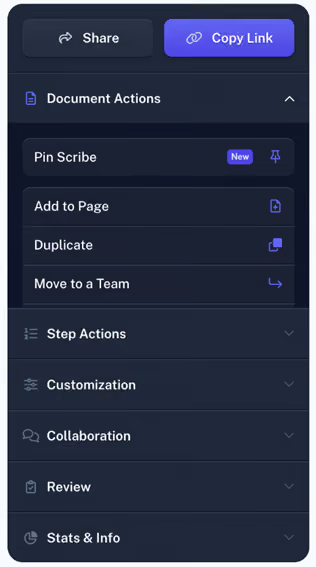
Step 5: Publish and share
Once the reviewing and approving part is over, finalize the workflow. Publish it and make it available to your intended audience.

Scribe, as your Workflow Maker, makes the process of creating comprehensive and user-friendly workflow documents effortless.


Copyright © 2026 Colony Labs, Inc. dba Scribe. All rights reserved.