



Meet
Autocapture


AI-Powered Video-Tutorial Alternative
Better Than a Video Tutorial
Want something faster and easier than video tutorials? Try Scribe's AI-powered visual guides! Build step-by-step guides for any process in seconds. Try it now!
In this article

Enhance or replace your video tutorials
More than Video: Create High-Quality Tutorials with Scribe
Want something better and easier than a video tutorial?
Scribe uses AI to automatically create visually stunning step-by-step guides by capturing your clicks and keystrokes as you work.
Start by capturing your screen, then elevate your tutorial into a masterpiece with instructions, titles, annotations and more. Scribe can replace or support your video tutorials, so you get the best of both worlds.
Why Choose Scribe as your video tutorial replacement?
- Step-by-Step Guidance. With Scribe, you can provide sequential instructions, breaking instruction into smaller steps and making complex tasks seem more manageable.
- Clarity: Eliminate ambiguity by providing clear instructions on how to do the job right. Scribe helps you create clear, user-friendly tutorials in seconds that help to increase efficiency and productivity.
- Create Multimedia Tutorials. With Scribe Pages, you can combine step-by-step tutorials with YouTube or Loom videos and other media to create impactful visual tutorials. Build detailed, comprehensive tutorials in just a few clicks.
{{banner-short-v2="/banner-ads"}}
Getting Started: Scribe’s AI-Powered Tutorial Maker

Step 1: Capture Your Tutorial
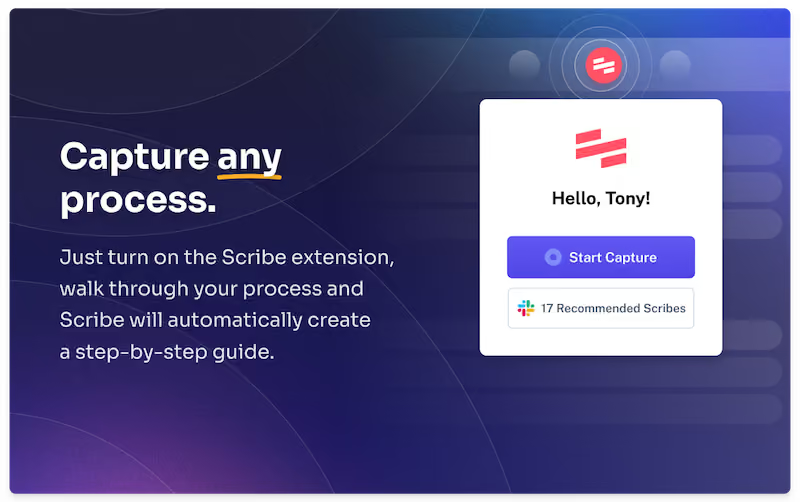
Once you've installed Scribe, navigate to the tutorial you wish to record. Click the Scribe icon in your Chrome toolbar and select "Start Capture" to kickstart things.

Once you click on the extension, go through your process for the tutorial. Scribe works its magic in the background, effortlessly capturing screenshots and text.

Step 2: Stop Recording and Auto-Generate Your Tutorial
When you finish the process, click "Stop Capturing." Scribe will generate your visual tutorial within seconds, complete with text and screenshots.

Step 3: Customize Your Tutorial
Once you have your step-by-step tutorial, review it for accuracy and add more details if needed.
You can enhance your tutorial by adding tips, tweaking steps and annotating screenshots. If you're feeling creative, combine multiple tutorials and incorporate text and videos using Scribe's Pages feature (see step 4!).

Step 4: Combine Your Tutorials With AI Tools
With Scribe Pages, you can seamlessly combine your individual guides into comprehensive tutorials. You can combine:
- Text and descriptions.
- Multiple Scribes.
- Hyperlinks.
- Loom and YouTube videos.
- Images.
And then let AI build the tutorial for you!

Step 5: Share Your Tutorial
Share the tutorial with your team (or customers!) by:
- Sending a quick link for easy access.
- Exporting to multiple formats, including video files.
- Giving your team access to your workspace in the Scribe platform.
- Using the smart embed feature for seamless integration with other platforms.

With Scribe, crafting effective visual tutorials is simple and seamless. Enhance your processes and take your team's productivity to a higher level. Get started for free!
Learn more about what you can do with Scribe:
- Free Tutorial Builder
- On-Demand Training Generator
- Free Windows Screen Recorder
- Free Workflow Generator
Or check out these related resources that we think you'll love!
- 5 Steps to Creating Your Own Instructional Videos: Tips & Ideas
- 8 Best Video Tutorial Software Solutions in 2023
- How to Make Training Videos for Your Employee Development Program
- How to Create Effective Knowledge Base Videos
- Best Video Editing Software
- Top Training Video Chrome Extensions
- How to Make a Step-by-Step Guide (+15 Free Templates)
- Scribe vs. Minvera: Best Tool for Building How-to Documentation
- Scribe vs guidde: Which Documentation Software Should You Choose?
- Scribe vs. Dubble: The Best Process Documentation Solution
If you're looking for a solution that goes beyond video tutorials with step-by-step guidance and multimedia options, try Scribe!




Copyright © 2026 Colony Labs, Inc. dba Scribe. All rights reserved.