



Meet
Autocapture



September 23, 2026
5 ways teams identify automation opportunities
In this article

Transformation you can finally see
Most organizations can’t explain how their own work gets done — but they’re trying to automate it anyway. Someone picks an opportunity based on what feels slow, what a vendor demoed, or what an executive complained about in a meeting. Teams often automate the most visible use cases first, while missing the highest-value ones.
Enterprises have seen success with the obvious automations, but the smaller, org-specific opportunities often deliver more ROI.
5 ways that teams decide what to automate
Once the obvious improvements are done, the question becomes, what’s next? Finding the real opportunities usually takes months of workshops, interviews, and time studies — so most teams default to whatever someone asks for loudest. Here’s how enterprises actually identify automation opportunities, ranked from least to most effective.
- Gut feel and executive instinct. A VP says "we should automate reporting" and that becomes the priority. Gut feel surfaces what's visible and frustrating, not what's actually costing the most.
- "We saw a demo." A vendor shows a slick solution and suddenly that's in the automation roadmap. Enterprises end up automating what's available, not what's valuable.
- Tool-driven suggestions. Salesforce recommends Salesforce automations. Power Automate suggests Microsoft flows. Each tool sees its own ecosystem well but can’t see work across systems. Cross-system workflows often cost the most time and stay invisible to any single platform.
- Task frequency and time saved. Survey the team, find what happens most, multiply by time per task. The math feels objective, but frequency alone doesn’t tell you if something can actually be automated. It measures the happy path — the way people want to think work happens — not the exceptions and workarounds that make up the real work.
- Workflow-level analysis with exception awareness. Map how work actually moves across people, systems, and handoffs — including what happens when things go wrong. This is the first approach that sees automation opportunities with full context into how the organization actually runs. It’s how organizations end up saving 900 hours a month instead of 9.
The approaches that work start with the most operational context. Gut feel uses none. Tool suggestions use partial context from 1 system. Workflow analysis uses the full picture — including the knowledge that usually lives only in your best people's heads. The organizations seeing real results aren't the ones with the best tools. They're the ones with a full view.
How Scribe surfaces automation opportunities, instantly
Scribe Optimize sees how work actually gets done across your organization — every workflow, every tool, every team. Instead of relying on interviews or self-reported data to identify automation candidates, you’re working from real workflow data captured continuously. That’s the operational context most automation programs are missing.
Here are 3 quick ways you can use Scribe to identify your company’s top automation opportunities:
1. Ask an agent in Optimize
Scribe Optimize gives you a personal AI agent that already knows how work happens across your organization.
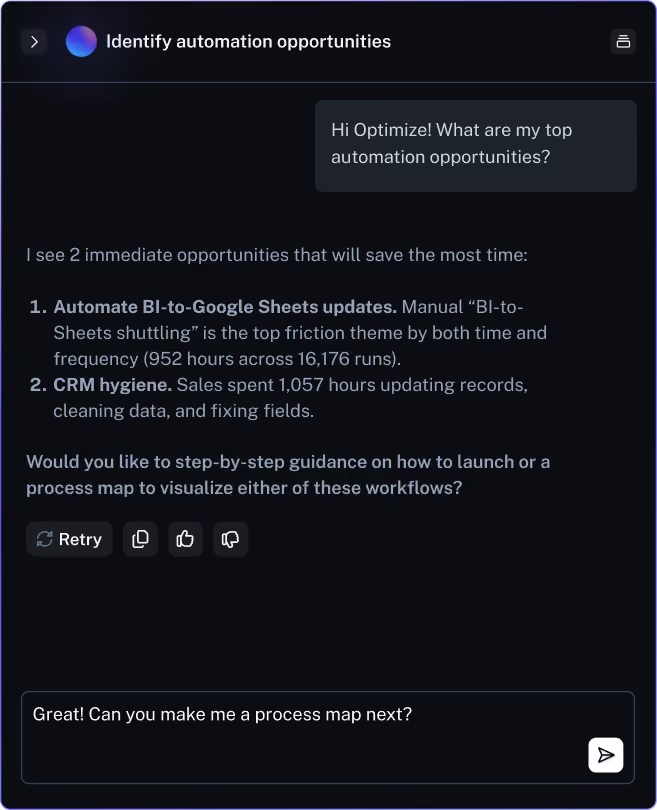
- Ask any question in any way. Ask an agent "what are my top automation opportunities?" and it will calculate time savings, frequency, and a ranked view of which opportunities have the highest impact.
- Dig deeper for more context. Learn more about any workflow by simply asking questions. Optimize can even create a process map for any workflow and show you instantly.
- Get a detailed action plan. Ask Optimize for recommendations and it will give you step-by-step guidance on how to implement based on how your organization works today.
2. Spot opportunities directly from your dashboard
Scribe continuously captures and analyzes workflows across your teams and tools. Your dashboard ranks the highest-impact automation candidates using real workflow data, not surveys.
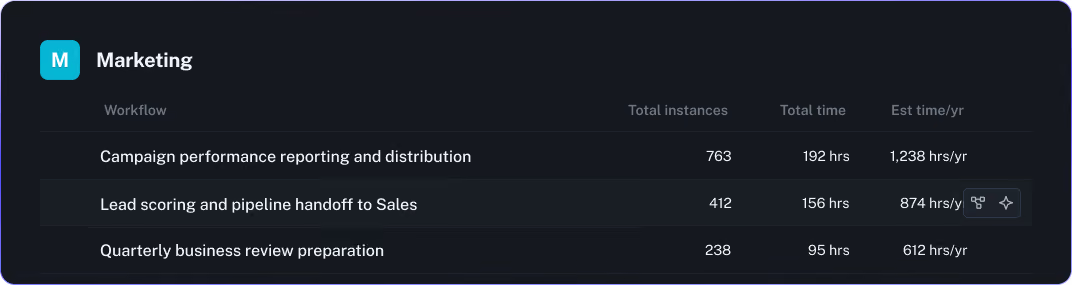
- Explore by team. See how specific teams work and where they get stuck. This is useful when you’re scoping automation for a particular department or function.
- Explore by application. See which tools your org spends the most time in and how workflows move between them. This is where cross-system automation opportunities surface.
- Explore tasks within any workflow. Drill into individual tasks for bite-sized automation candidates. Check downstream dependencies before you automate — fixing one step shouldn’t break the next.
3. Rank projects based on ROI
Scribe’s AI builds automation projects from the workflows it’s already surfaced — not generic recommendations from an LLM that’s never seen your operations. It knows the variances, the exceptions, and how processes connect across teams. So what you automate actually works and doesn’t break something downstream.
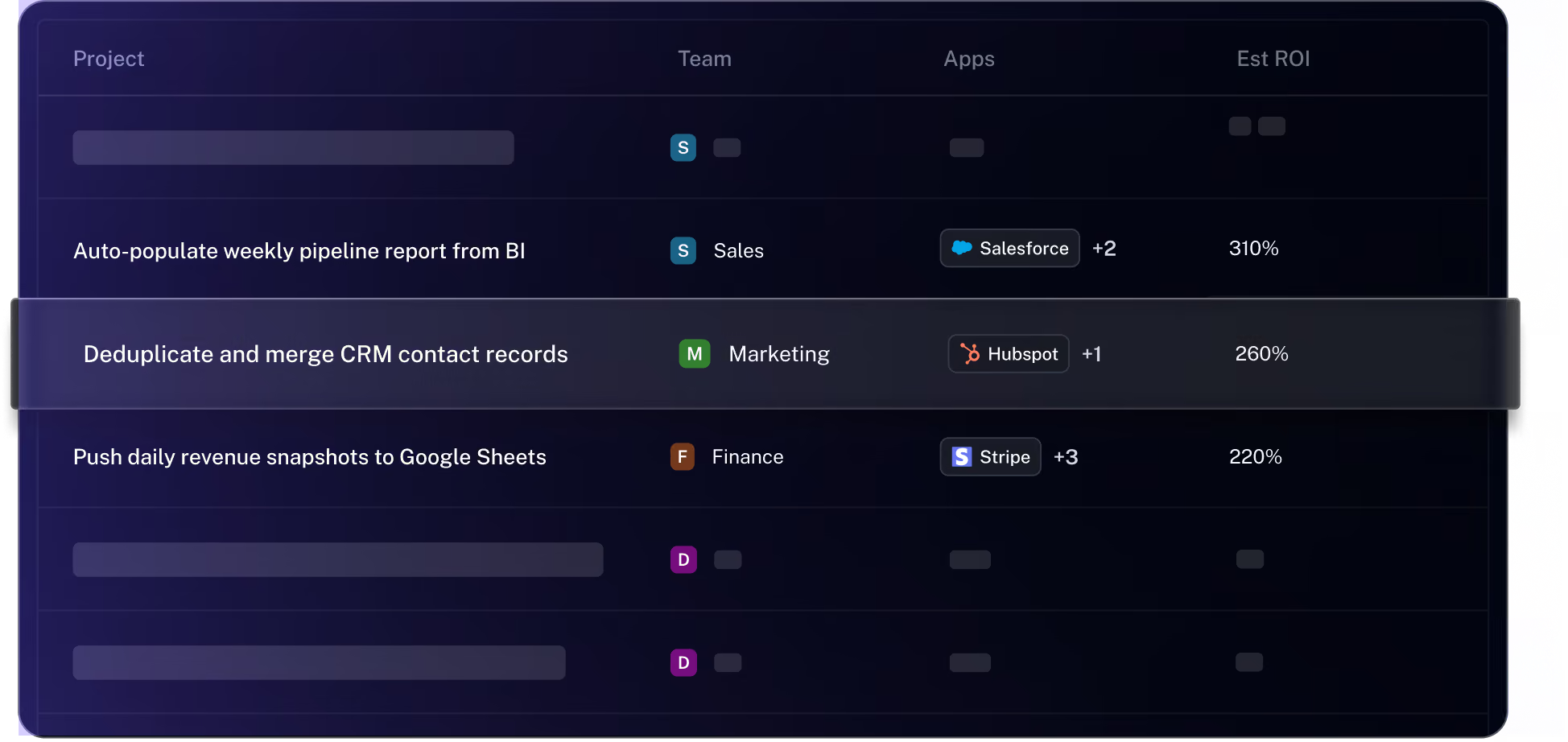
- Create projects grounded in how your business actually works. Define the problem you want to solve, based on any workflow you see. You can select relevant apps, teams, and objectives for the project.
- Rank projects based on their projected ROI. Compare project candidates using ROI and time savings estimates from your workflows.
- Modify projects to add context beyond your workflows. You might see a solution that needs changes before you commit. Prompt Scribe Optimize on what needs to change and why. It will instantly give you a modified set of recommendations.
The highest ROI automation targets aren't the loudest ones. They're the tasks your team has stopped noticing — the work everyone hates but nobody flags. Find those, automate them, and let your people get back to the work they’re uniquely great at.

Ready to try Scribe?


Copyright © 2026 Colony Labs, Inc. dba Scribe. All rights reserved.