



Something big
is coming!





Table of Contents


Scribe is a documentation app that transforms how teams capture, organize, and share information. Its intuitive interface and AI-powered features make documenting any process easy, whether recording workflows and standard procedures or collaborating on cross-functional projects.
Rather than spending hours writing instructions from scratch, Scribe captures your actions as you work and automatically generates accurate, structured documentation. The result is a faster, more consistent documentation process that scales with your team, without the friction of traditional methods.
Why choose Scribe as your documentation app?
1. Powerful document management
Scribe provides robust document management capabilities, allowing you to organize, categorize, and search for docs effortlessly across teams and projects. Whether you're maintaining a repository of SOPs or keeping track of project documentation, Scribe keeps everything structured and easy to find, saving time and improving workflow efficiency.
2. Customizable templates
Scribe offers a library of customizable document templates so you're never starting from scratch. Adapt existing templates to match your team's processes, brand guidelines, or preferred format, and export finished docs directly to tools like Google Docs and Microsoft Word for teams that prefer to work in familiar environments.
3. Automation that streamlines documentation
Scribe's automation capabilities capture your on-screen actions and instantly generate structured tutorials, how-to guides, and process documentation without any manual writing. This makes it easy to streamline repetitive documentation tasks and keep your knowledge base accurate and up to date as processes evolve.
4. Real-time collaboration
Scribe makes it easy for teams to work together on documentation without version conflicts or communication delays. Multiple contributors can build, review, and refine docs simultaneously, making it just as effective for technical documentation produced by engineering and IT teams as it is for everyday process guides created across the business.
5. All-in-one documentation software
Scribe functions as a centralized wiki where teams can store, search, and access everything from onboarding materials to user manuals in one place. As a web-based platform, it's accessible from anywhere without the need to install or manage additional software.
6. Knowledge management for every use case
Whether you're documenting IT procedures, building a customer-facing help center, or creating user manuals for a new product launch, Scribe's knowledge management capabilities make it easy to capture, organize, and surface the right information at the right time. From small teams to enterprise organizations, Scribe adapts to the use case at hand without requiring a new tool for every need.
7. Access control and permissions
Scribe gives administrators full control over who can view, edit, and share documents across the organization. Granular permissions and access control settings ensure that sensitive documentation reaches the right people and stays protected from those it shouldn't.
8. Security and privacy
Scribe prioritizes data security, ensuring that your documents and sensitive information are protected with top-tier encryption and privacy measures.
9. Continuous updates and support
The Scribe team is dedicated to continuous improvement, delivering regular updates and providing reliable customer support to ensure a smooth experience as your documentation needs grow.
{{banner-short-v2="/banner-ads"}}
Using Scribe in your day-to-day documentation processes
Scribe helps you document your existing workflows. Whenever you complete a task, whether it's onboarding a new tool, walking through a process, or training a teammate, simply hit record. Scribe captures every step automatically, turning what you just did into a ready-to-share guide in seconds.
Step 1: Capture a process
After installing Scribe, open the process that you plan to document. Click on the Scribe icon in your browser’s toolbar.
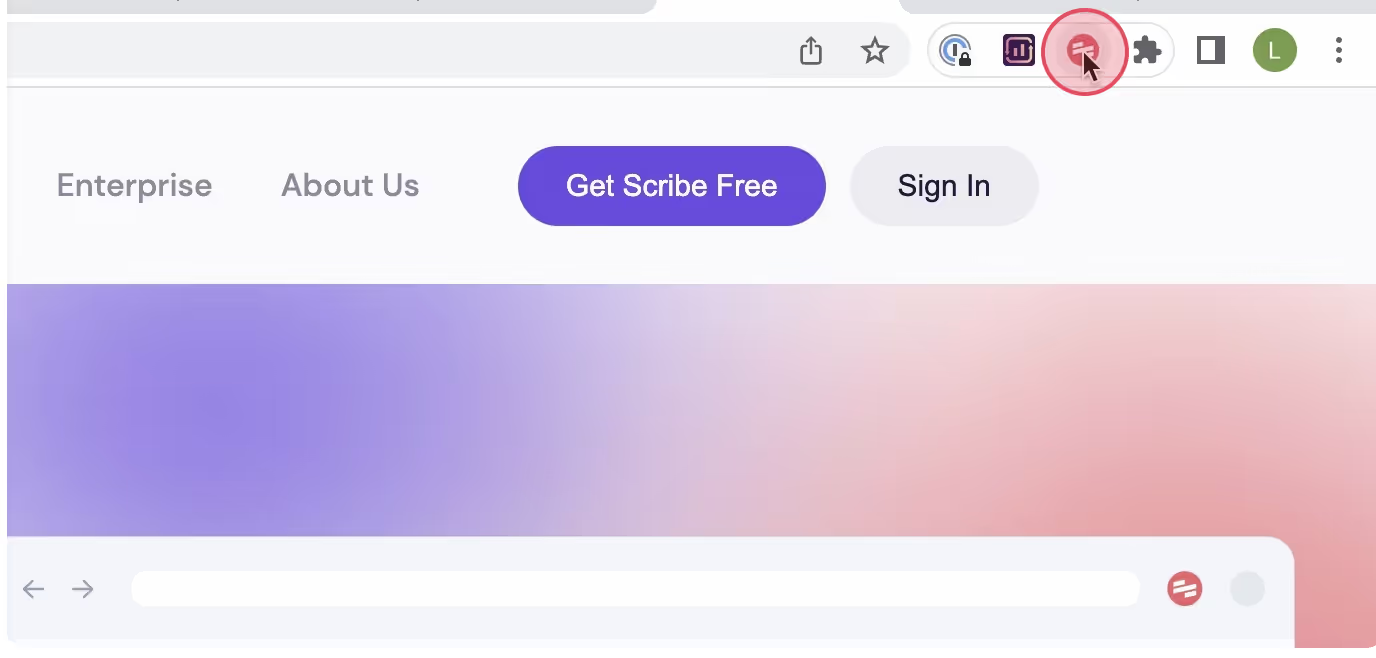
Then, select the 'Start Capture' button. Scribe will capture screenshots and text as you run through the steps of the process.

Step 2: Finish capturing
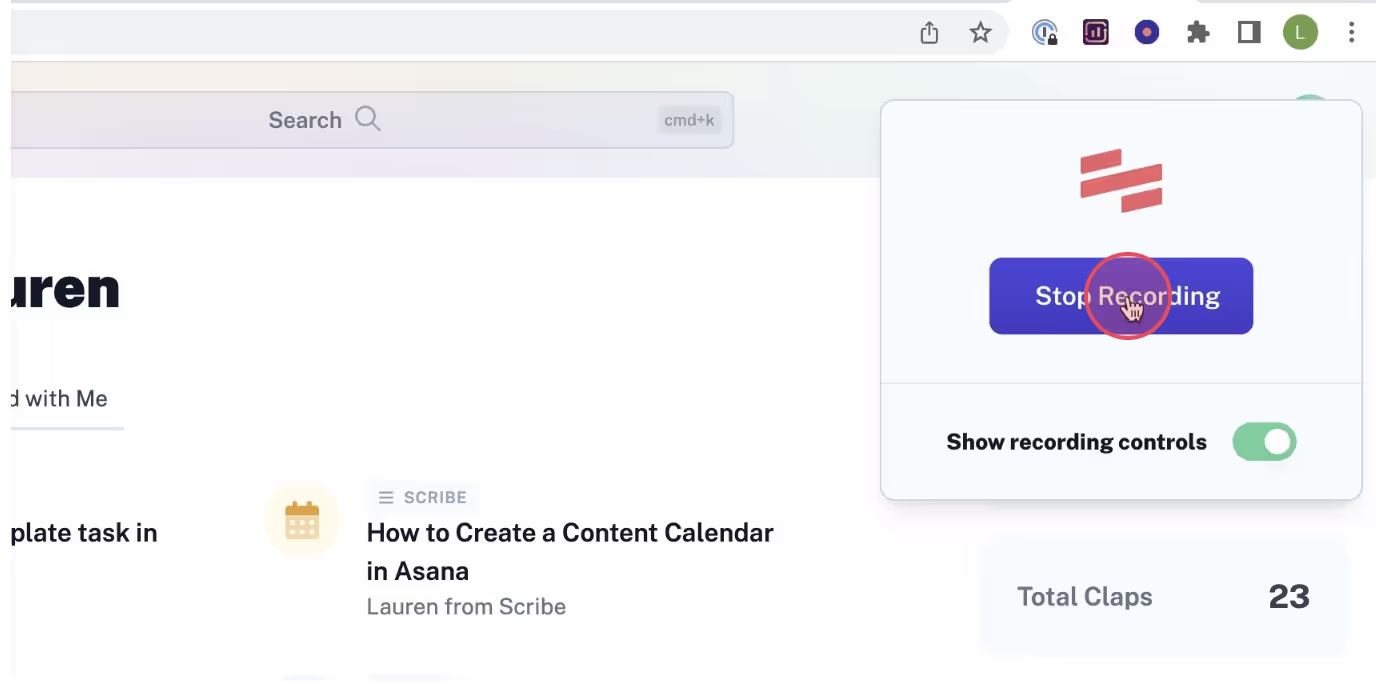
After completing the task, click the 'Stop Recording' button. Scribe will instantly stop recording and generate a document based on captured screenshots and texts.
Step 3: Edit and personalize your process
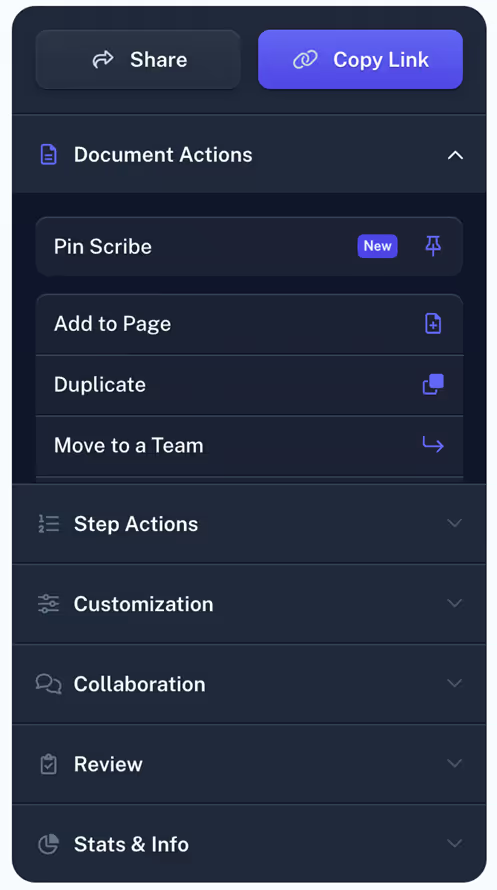
Review the process carefully, ensuring accuracy. If needed, make edits or add additional information.
Step 4: Share with your team
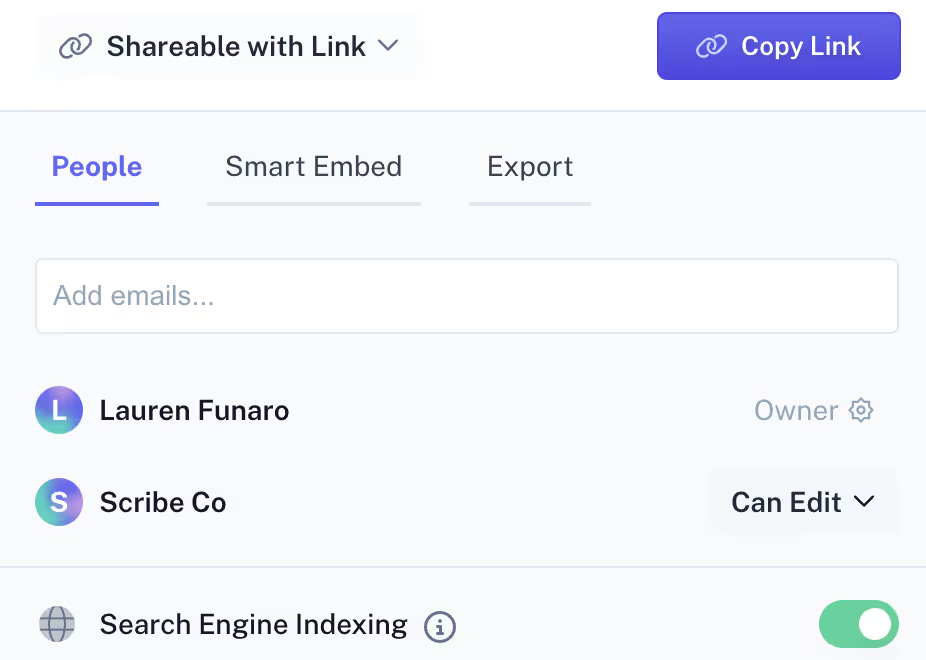
Share the process with your staff or team, so that everyone can access and reference this single source of truth. Scribe allows you to:
- Add team members to your Scribe workspace to grant them access to the process documentation.
- Generate a link or embed it in your documentation.
- Export the process document to formats like PDF, HTML, or Markdown.
Scribe helps you document the processes your team relies on every day, making it faster to onboard new hires, standardize workflows, and share knowledge across the organization. When information is captured clearly and stored in one place, your team spends less time asking questions and more time getting work done.
FAQs
What should I look for in a documentation app?
Look for advanced features like real-time collaboration and flexible formatting that work for everything from simple process guides to complex technical documentation. For teams with technical writers or software development workflows, integrations with existing tools and the ability to publish structured online documentation are also worth prioritizing.
Who uses documentation tools?
Documentation tools are used across every business function, from HR and operations to customer support and software development. Technical writers use them to produce online documentation and API references, while everyday teams use them to capture workflows, build onboarding materials, and standardize processes. Any team that needs to share knowledge consistently can benefit.
What makes Scribe different from other documentation tools?
Most documentation tools require you to write everything manually. Scribe automatically generates a finished, structured document just by recording your actions as you work. Combined with customizable templates and advanced features like access control and real-time collaboration, Scribe is a complete online documentation platform built for technical writers, customer support teams, HR, and everyday users alike.



