



Meet
Autocapture



Free AI-Powered Manual Creator
Free, AI-powered manual creator. Build powerful online manuals in minutes.
Free, AI-powered manual creator. Build powerful online manuals in minutes.
In this article

Use Scribe to build manuals in seconds!
Scribe is the ultimate manual creator to document your processes
Simplify the process of creating professional and comprehensive manuals with the power of AI.
In seconds you can create visual manuals that present information effectively and in order. Whether you're creating user manuals, instruction guides or policy handbooks, Scribe is your trusted companion in manual creation. Here are some remarkable features that make Scribe the go-to tool for manual creation.
What is a manual, and why does it matter in business?
A manual is a step-by-step process guide that is used to give instructions. In businesses, user manuals document workflows, best practices, and rules, and serve as helpful resources for new and existing team members or external entities (like consumers) when they have questions.
The following are a few types of user manuals commonly used in business settings:
- Training manuals: Training manuals are step-by-step guides that HR departments and leaders can use to demonstrate processes for new team members or to perform walkthroughs with existing team members on the adoption of tools, tech, or practices.
- Operations manuals: Operations manuals are centralized docs that serve as an encyclopedic knowledge base of standard procedures, processes, roles, and reporting structures. This document includes everything from technical documentation to best practices and org charts.
- Policy handbooks: Policy handbooks are knowledge bases containing a company’s rules, regulations, and best practices. They provide team members with information on what their rights and benefits are and what is expected of them.
What makes a good user manual?
In order to serve their purpose well, manuals should provide robust, useful information in a user-friendly format. Follow these best practices to make a good guide.
- Clear structure and logical flow: User manuals should proceed logically, which, depending on the type, may mean constructing a sequential step-by-step flow or providing high-level information and a table of contents before going into detail in sections. For example, a workflow manual should guide users through each step of the process in order, focusing on one action per step, while a policy handbook might start with a high-level introduction before proceeding into best practices by section or business area.
- Consistent formatting and terminology: Good user manuals follow a consistent format that people can learn to read and reference efficiently because they come to recognize the structure. Always using templates or the same software to generate manuals helps maintain consistency. It’s also important to use the same terminology for tools and actions, eliminating potential confusion. For example, if you always call your CRM a “platform,” refrain from referring to it as an “app” in one-off instances.
- Visual support where appropriate: Visuals can be extremely useful in process guides, as they show what part of the interface or a tool the text references, with annotations like arrows and circles, where users have to click or perform a function. Scribe Capture automatically transforms workflows into visually-driven process guides, complete with screenshots, arrows, and text.
- Easy navigation: Include a table of contents, and in digital guides, links for jumping from one section to another. This way, users can easily reference exactly the information they need.
- Update user manuals frequently: Modify user guides as processes and policies change, and immediately share the most up-to-date versions. This way, users are always referencing the most correct knowledge base, preventing them from making mistakes in new workflows by performing obsolete steps. Scribe Capture automatically and accurately changes guides as workflows shift, creating an easy-to-share link, embed, or a PDF.
Why a manual creator is better than manually writing process documentation
1. Organize & structure your content effortlessly
Create how-to guides in seconds, then use AI to build powerful manuals. Just select the Scribes you want to add, and Scribe will automatically build an understandable structure and format around your content. Ensure a logical and coherent flow, without any additional work.
2. Consistent formatting &styling
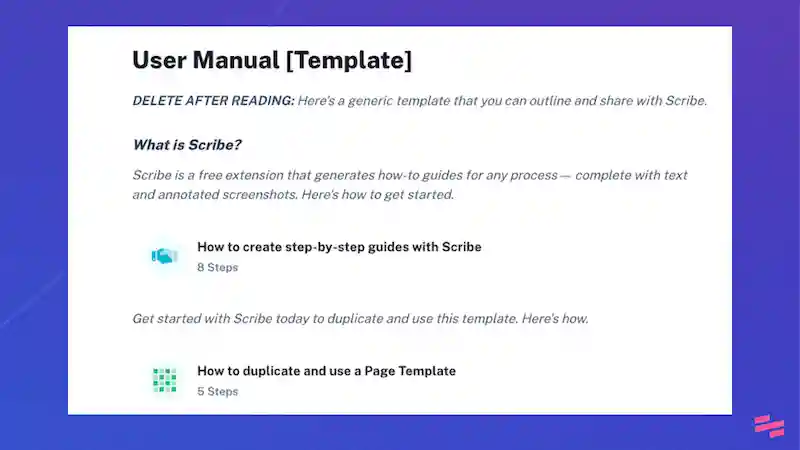
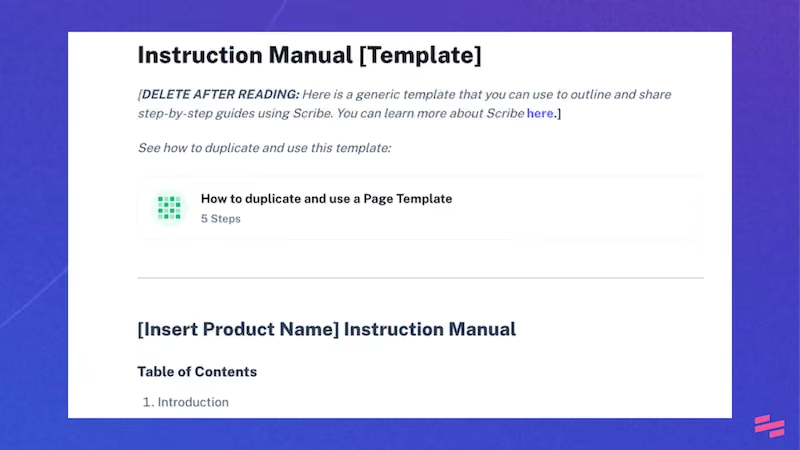
Scribe offers pre-designed templates and styles, ensuring consistent formatting and styling throughout your manual. This enhances readability and makes your manual visually appealing.
3. Customizable content
Scribe allows you to customize and personalize your manuals to suit the needs of your specific audience. You can add branding elements, incorporate company-specific information, and adjust the content to make it relevant and engaging.
{{banner-short-v2="/banner-ads"}}
How to create manuals with Scribe

Step 1: Capture your Scribes
Once you’ve installed Scribe, navigate to the process that you want to document and click on the Scribe icon in your Chrome toolbar.

Then, click ‘Record' and capture each Scribe. We recommend breaking down each process into smaller bits.

Step 2: Stop recording & create more
Each time you complete a process, click ‘Stop Recording’ and watch Scribe automatically create a step-by-step guide for your process. If you want to add several processes to your manual, just record again.

Step 3: Edit & add to your manual
Open up Scribe Pages and add your guides. Then, use Scribe AI to write clear and concise instructions for each section. Easily edit each Scribe or add additional images or video. Or use a ready-made template to kick off your guides.

Step 4: Publish & distribute
Review the manual's overall structure and flow, making revisions as necessary. Finalize the manual by ensuring all revisions have been incorporated. Then publish and distribute the manual to your audience by easily embedding, exporting or sharing via link!

Frequently asked questions
How long should a user manual be?
User manuals vary in length based on the amount of content or steps they must cover. Prioritize including detailed descriptions and images over trying to keep things short. That said, you should also avoid redundant or excessive language that will only confuse users or distract them from the core points of the content.
Who should use a manual creator?
Any teams that execute repetitive, step-based processes, like HR, IT, accounting, finance, supply chain, or procurement can benefit from using a manual creator to automatically document their workflows.
How often should manuals be updated?
Update manuals every time processes or policies change, and make a habit of quarterly or annual documentation reviews as a best practice.
That's it! With Scribe as your Manual Creator, you can easily create professional and comprehensive manuals that will help you streamline your processes and improve your team's productivity.
Learn more about what you can do with Scribe:
- User Guide Examples & How to Create a User Guide
- Screen Recorder Tools
- How to Document a Business Process
- Training Manual Generator
- Free ChatGPT User Manual Generator
- Free Operations Manual Generator
Or check out these related resources that we think you'll love!
- 15 Training Manual Examples You Can Use Today
- Top 5 Training Manual Chrome Extensions
- Scribe vs. Minvera: Best Tool for Building How-to Documentation
- Scribe vs guidde: Which Documentation Software Should You Choose?
- Scribe vs. Dubble: The Best Process Documentation Solution
- iorad Alternatives
- Tango Alternatives



Copyright © 2026 Colony Labs, Inc. dba Scribe. All rights reserved.