



Meet
Autocapture



.avif)
September 7, 2026
How a Scribe Pro Organizes, Shares, and Scales Their SOPs
How a Scribe Pro Organizes, Shares, and Scales Their SOPs
In this article

Instantly capture and optimize workflows so your team works smarter and faster.
Standard operating procedures are only useful if people actually use them.
That was the central theme of our recent Scribe webinar with our special guest Erica Statly, founder of The 128 Collective, where we unpacked how Scribe pros organize, share, and embed Scribes so they become part of everyday work… not forgotten docs in a folder.
Below, we break down the key strategies Erica shared for building SOPs that are easy to find, easy to follow, and easy to maintain. Check out the full session here! 👈
The real reason SOPs fail
Before diving into tactics, Erica called out a hard truth many teams recognize instantly:
Most SOPs don’t fail because people hate processes…
They fail because the documentation itself isn’t usable. 🙈
In her experience, SOPs usually go untouched for one of three reasons:
- People can’t find them
- They’re out of date
- They’re not actually helpful (walls of text, no visuals, unclear steps)
Scribe solves the creation problem immediately, but long-term success depends on what you do after the Scribe is created.
Start with an intuitive workspace structure
Erica’s guiding principle for organizing Scribes is simple:
Someone “off the street” should be able to open your workspace and understand where things live.
That means building a folder structure that mirrors how work actually happens.
A practical example: client work
At The 128 Collective, Erica uses a parent folder for clients to keep all of her client work together. She then uses a subfolder for each individual client. Inside each client folder, she duplicates a consistent structure that has Scribes for: Templates. Onboarding, Offboarding, Communication SOPs, Project-specific workflows, and Review and approval processes
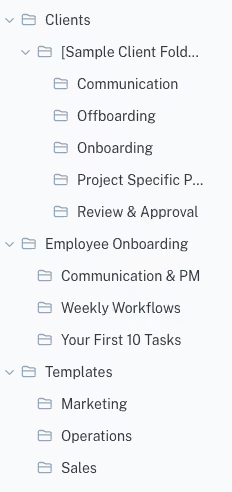
This creates two benefits:
- Every client engagement feels familiar to the team
- Processes can be customized without reinventing the wheel
Consistency reduces cognitive load and makes SOPs easier to follow.
Employee onboarding is where SOPs shine
If there’s one place Erica has seen the biggest ROI from Scribes, it’s onboarding.
Instead of overwhelming new hires with meetings or long documents, she uses:
- A dedicated Employee Onboarding folder
- A central Scribe Page that outlines the first week
- Individual Scribes for the “first 5–10 tasks” new hires need to complete
Because Scribes are visual and step-by-step, new employees can work independently, learn tools in context, and feel productive faster
As Erica put it, this shortens the awkward onboarding phase and helps people feel like part of the team sooner.
Don’t let Scribes live only in Scribe
One of Erica’s strongest recommendations: Scribes shouldn’t live in isolation.
Her team embeds Scribes directly into ClickUp tasks, so documentation appears exactly where the work is being done. This solves a common problem that she's experienced where people don’t go searching for SOPs, but they will use them when they’re embedded in their workflow.
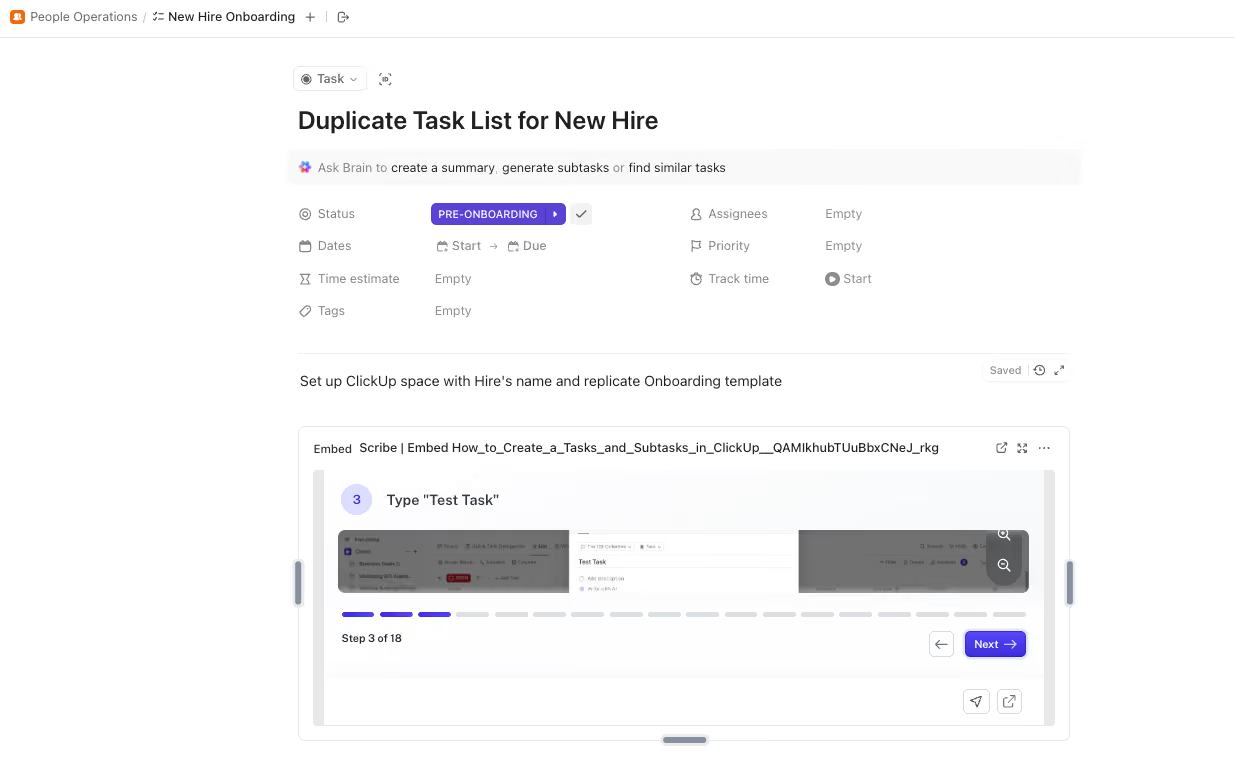
Whether it’s a task, ticket, or project brief, embedding Scribes keeps instructions tied to action, not buried in a separate system.
Use sharing formats intentionally
During the webinar, we walked through multiple ways to share and embed Scribes, and when to use each.
Live links
Best for:
- Internal documentation and quick fixes to ‘how-to’ questions
- Customer help guides, or any guides you share externally
- Anything that will change over time
Live links update everywhere automatically when the original Scribe is edited; you never have to worry about updating a link anywhere, taking one more thing off of your plate.
Slides view
A favorite for:
- Step-by-step learners
- Training scenarios
- Process enforcement
Users must click through each step, reducing skimming.
Movie mode
Great for:
- Visual learners
- Self-guided walkthroughs
- Replacing lightweight training videos
Movie mode turns a Scribe into a video-like experience with AI narration and cursor movement.
Static exports (Pro plans and up)
Useful when:
- You need PDFs or Word docs for audits
- Documentation must live in locked-down systems
Just note: exported files won’t auto-update like live links or embeds.
Use Pages to create a single source of truth
Scribe Pages act as a hub for related documentation.
Erica uses Pages to group onboarding Scribes, add context to groups of Scribes (via YouTube videos, Miro flowcharts, and more), and embed other media (videos, diagrams, tools).
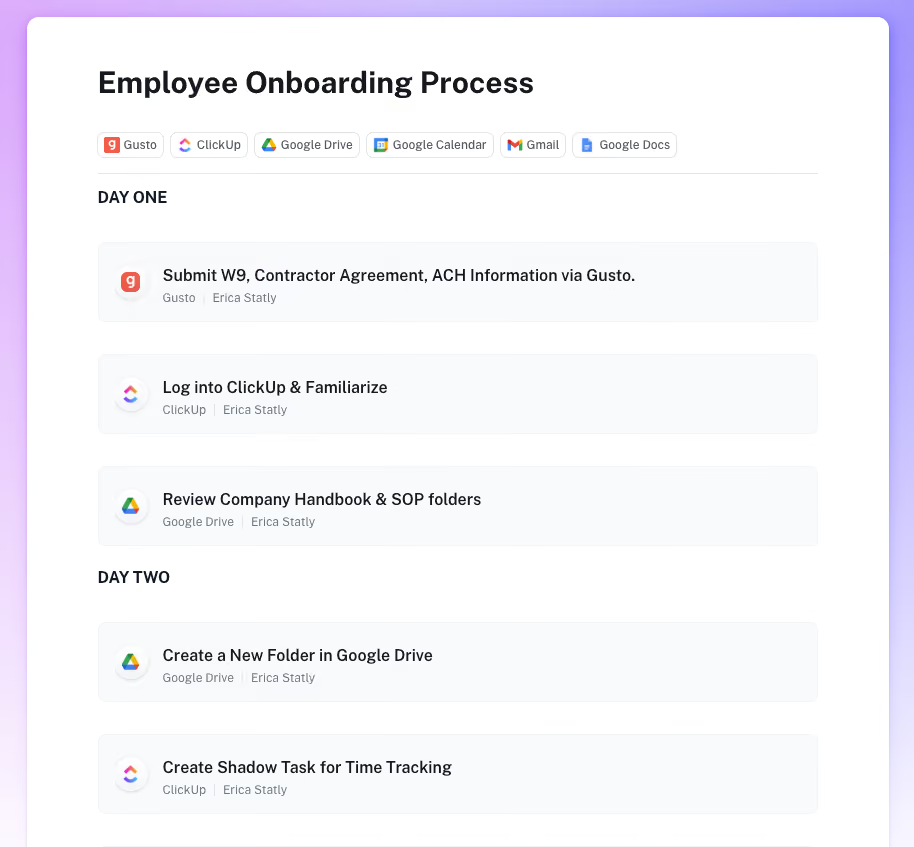
Pages also support nesting, meaning you can place Pages inside Pages to build structured knowledge systems without overwhelming users.
The result: fewer scattered links and more cohesive documentation experiences.
How to get started with SOPs (without boiling the ocean)
Erica’s advice for teams starting from scratch:
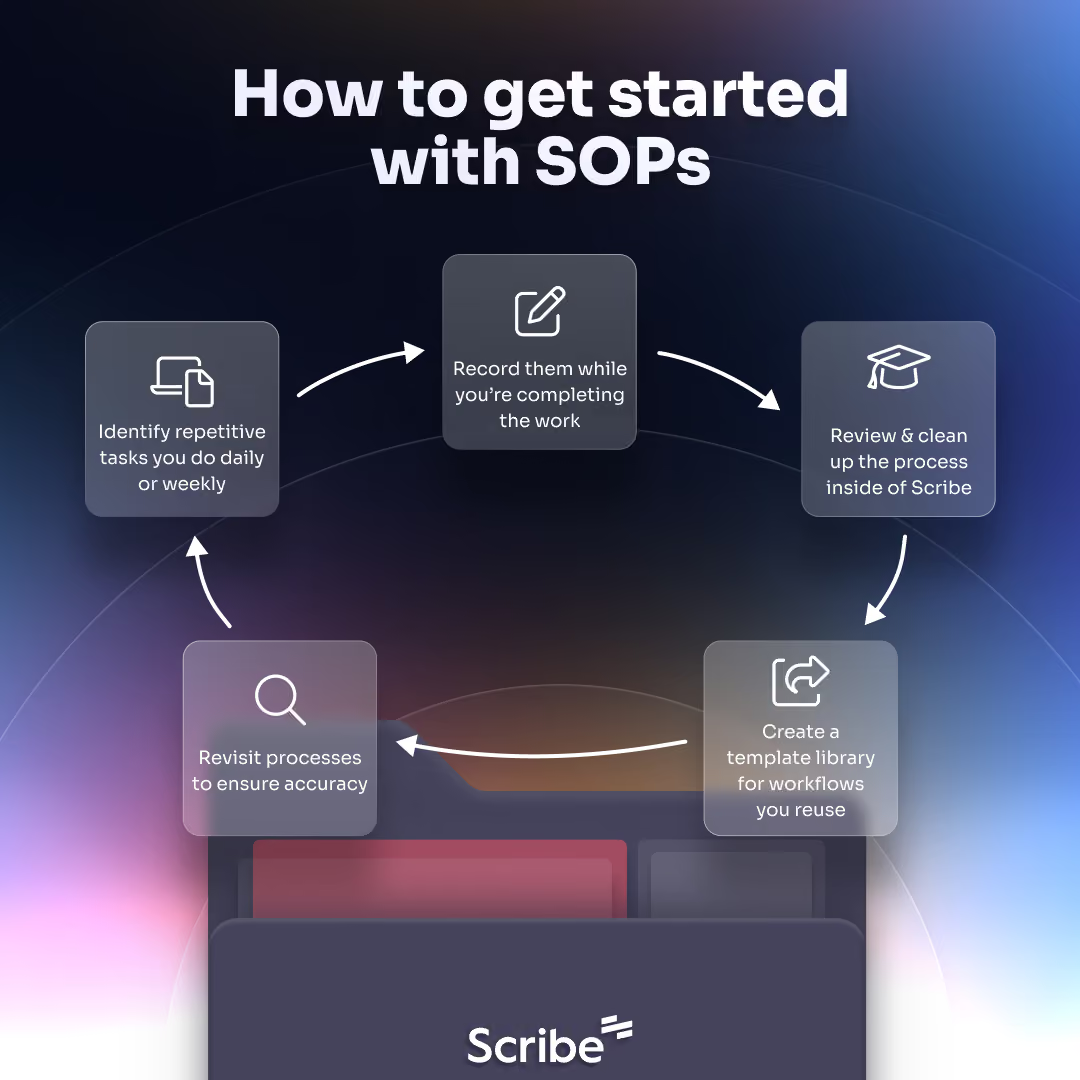
- Identify repetitive tasks you do daily or weekly
- Record them while you’re completing the work
- Create a template library for workflows you reuse
- Integrate SOPs in places where your team actually works so they’re used
- Expect Scribe to expose inefficiencies, and be open to improving them
SOPs don’t just document work.
They shine a spotlight on where work can be simpler.
The takeaway
High-quality SOPs aren’t about documenting everything.
They’re about documenting the right things and making them usable.
By organizing Scribes intuitively, embedding them where work happens, and choosing the right sharing format, teams can turn documentation into a real operational advantage.
Or, as Erica put it when asked to describe Scribe in one word:
“Life-changing.”

Ready to try Scribe?


Copyright © 2026 Colony Labs, Inc. dba Scribe. All rights reserved.