



Something big
is coming!





Table of Contents


Documenting how work gets done has always been a time sink: hours of screenshots, manual formatting, and re-explaining the same process to every new hire. In this article, you'll learn how to create work instructions that are more functional than ever, and how Scribe can help you build them in a fraction of the time.
Scribe is an AI-powered workflow documentation tool that captures your processes in real time as you work, then instantly transforms them into polished, step-by-step guides. What used to take hours now takes seconds—no writing required.
Why choose Scribe as your work instructions generator?
- Easy to Use: Scribe is designed with simplicity in mind, making it accessible to users of all levels of technical expertise. You don't need to have advanced design skills to create work instructions. Scribe's intuitive interface guides you through the process, allowing you to input content, customize formats, and generate professional-looking work instructions effortlessly.
- Enhanced Clarity: With Scribe, you can ensure that your work instructions are clear, concise, and easy to understand. The tool helps you logically organize information, break down complex processes into simple steps, and incorporate visuals like images or diagrams. By providing clear instructions, you enhance productivity, minimize errors, and improve overall work efficiency.
- Time and Cost Savings: Scribe saves valuable time and resources by automating the work instruction generation process. It eliminates the need for manual formatting, reduces the chances of errors, and streamlines the entire documentation process. With Scribe, you can create work instructions efficiently, allowing you to focus on your core tasks and responsibilities without compromising quality.
{{banner-short-v2="/banner-ads"}}
How to create work instructions
Work instructions are only useful if people actually follow them, and people follow them when they're clear, accessible, and written for the person doing the job (not the person who already knows how to do it). Here’s how to make work instructions people will easily be able to understand and apply.
- Know the difference between a work instruction and an SOP: SOPs explain what needs to happen and why. Work instructions explain how to do each specific step. Think of the SOP as the recipe and the work instruction as the technique behind each step. Not every SOP needs a work instruction—only the steps complex enough to warrant one.
- Get input from the people actually doing the task: The best work instructions are never written by one person alone. The finance analyst running month-end close knows the shortcuts and failure points that no manager does. Whoever owns the process should help write the instructions for it, not just sign off on them.
- Title the task specifically: "How to Process a Vendor Invoice in NetSuite" is more useful than "Accounts Payable Instructions." A good title tells the reader exactly what they're about to learn.
- Write one action per step, in sequence: Break every action into its own numbered step. "Log in, navigate to the purchase order screen, and check the approval status" is three steps, not one. Numbered sequences also make it easy to reference specific steps when something goes wrong during an audit or handoff.
- Make it visual: Screenshots and annotated screen recordings dramatically reduce confusion for software-heavy workflows. If you're documenting how to submit an expense report, approve a requisition, or run a payroll cycle, a screenshot is worth a dozen sentences. Job aids like Scribe make this effortless. It captures your screen as you work and automatically turns the steps into a visual, annotated guide, so you're not manually screenshotting every click.
- Test it cold before publishing: Have someone unfamiliar with the process follow your instructions exactly as written. Where they pause, guess, or ask a question, that's a gap. Fix it before it goes live across the department.
- Make it findable: A work instruction no one can locate is useless. Store it where your team already works: inside your HRIS, ERP, or shared wiki. Your team shouldn’t have to dig through several folders to find instructions.
- Set a review cadence: Processes evolve. Tax rules change, systems get updated, org structures shift. The best teams treat knowing how to make work instructions as an ongoing practice, not a one-time project. Revisit them quarterly so they don't quietly become outdated or, in regulated environments, non-compliant.
Starting with Scribe’s work instructions software

Step 1: Start to capture your knowledge
Begin by installing Scribe’s work instruction software and capturing the processes you wish to include in your work instructions.

Then, click the 'Start Capture' option. You can then run through each process.

Step 2: End the capture
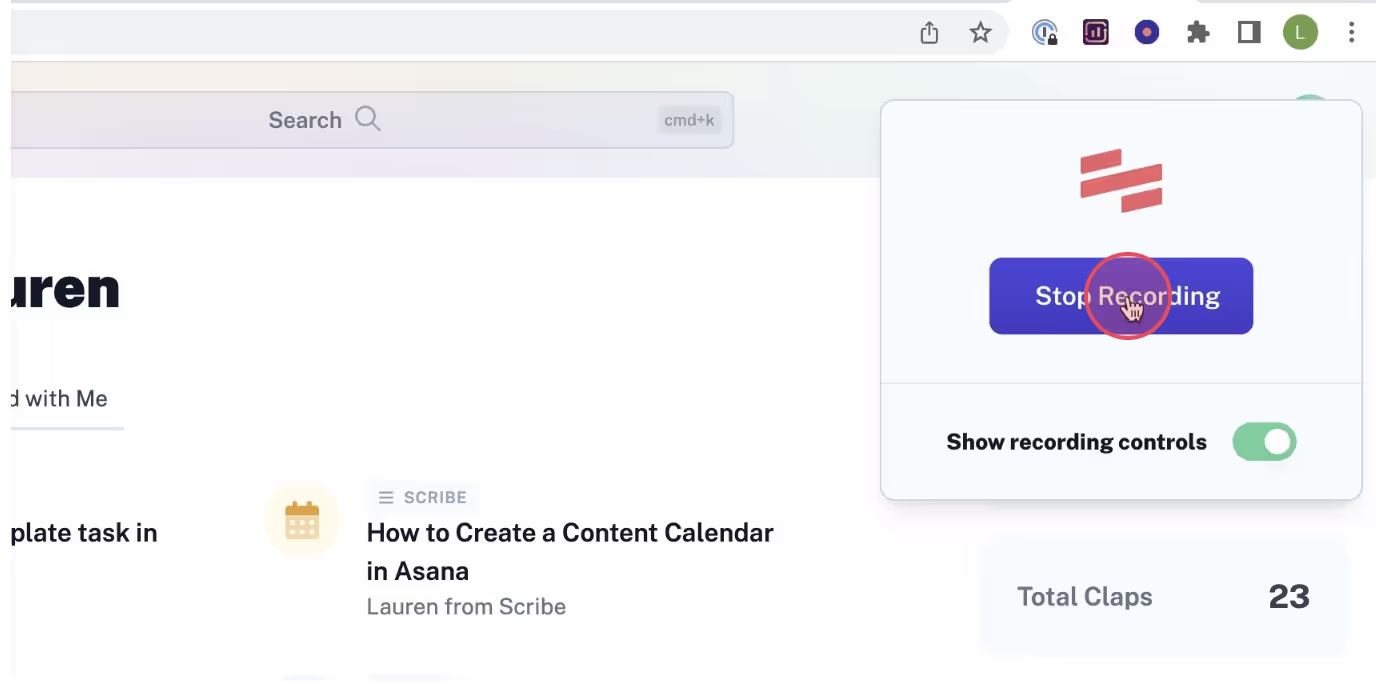
After completing each process, click the 'Stop Capture' button. This will halt the recording in Scribe and automatically generate your work instructions.
Step 3: Review & improve
Thoroughly review the work instructions for accuracy, clarity, and completeness. Consider feedback from subject matter experts or pilot testing, and make necessary revisions to refine the content. This ensures the work instructions align with the intended learning outcomes and deliver the best possible training experience.
Step 4: Share with your team
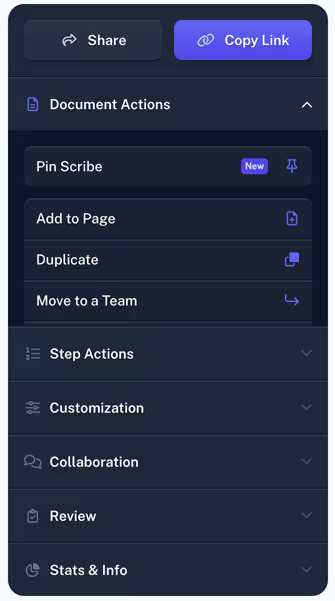
Publish and distribute the work instructions to your learners through various channels. You can use Scribe to share the work instructions, opt for other methods such as email, embed it on digital platforms, or utilize learning management systems.
By making the work instructions easily accessible to your team, you ensure they have the necessary resources to learn and excel in their roles.

Simplify the process of creating work instructions, improve clarity and understanding, and empower learners with Scribe's powerful features.
Learn more about what you can do with Scribe:
- Work Breakdown Structure Maker
- Free Protocol Generator
- Free Explainer Guide Generator
- Free Workflow Maker
- Free Technical Design Document Generator
- Free Process Narrative Generator
- Customer Service AI Writer
- Free Manual Creator
- Free SOP Generator
- Free Documentation Generator
Looking for free templates and guides to get you started? We've got you covered!
- How to Write Work Instructions: An Easy Step-by-Step Guide
- What Are Work Instructions Templates? (+6 Free Templates)
- 6 Work Instruction Examples to Boost Process Efficiency (+ Template)
- How to Create a How-to Guide + 8 How-to Tips
- 100+ Free SOP Templates: How to Write Standard Operating Procedures
- 15+ Step-by-Step Guide Templates & How to Create One
- Planning Software Testing: 6 Test Documentation Templates
- 7 Checklist Examples to Maximize Productivity at Work & Life [+ Free Template]
Or check out these related resources that will help you learn even more.
- Improve Process Efficiency & Quality with Standard Work
- Standard Work: 12 Tips to Improve Work Performance & Employee Productivity
- How to Enhance Your Work Performance in Simple Steps
- Revolutionizing the Workplace Through Systemization
- What is Process Manufacturing: All You Need to Know
- Healthcare Process Improvement: Enhancing Patient Outcomes, Reducing Costs & More
- What Is Manual Testing? A Complete Guide
- 5 Strategies To Overcome Common Software Implementation Challenges
- 5 Software Documentation Challenges For DevOps Teams & How To Overcome Them
- Best Continuous Improvement Software
Creating effective work instructions doesn't have to be a time-consuming project.
As work instruction software goes, Scribe is the most intuitive option, letting you build custom work instructions, step-by-step tutorials, SOPs, and templates in minutes by capturing every step automatically as you work. If you're ready to bring consistency and clarity to your team's processes, Scribe is the fastest way to get there.



